
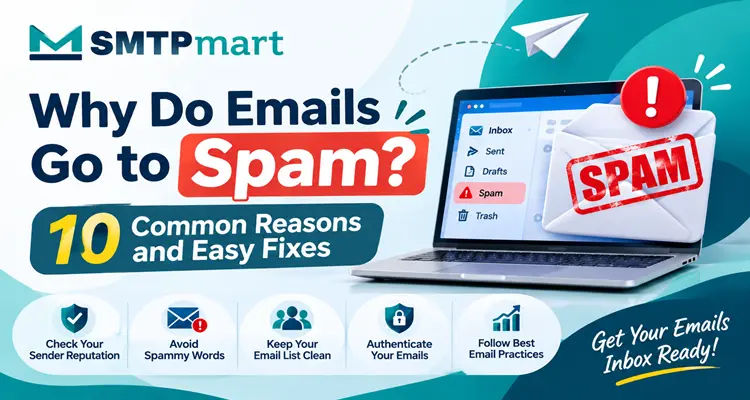
Why Do Emails Go to Spam? 10 Common Reasons and Easy Fixes
Why do emails go to spam? Learn the 10 most common reasons, from missing SPF, DKIM and DMARC to a poor sender reputation, and fix them with easy steps.
You spend hours writing a good email. You click send. Then you find out that most of your subscribers never saw it. It went straight to the spam folder.
This problem is very common, and it can feel confusing. Your offer was good. Your subject line looked fine. So what went wrong?
The truth is that why emails go to spam is rarely about one big mistake. Most of the time, it is a mix of small issues. It could be missing email authentication, a weak sender reputation, or a messy email list. The good news is that every one of these issues can be fixed.
In this guide, you will learn why emails go to spam, how email spam filters decide where your message lands, and what you can do to improve your inbox placement. Everything is explained in simple words, so even a beginner can follow along.
How Email Spam Filters Decide What Goes to the Spam Folder
To understand why emails go to spam, it helps to know how the system works.
Every time you send an email, the receiving provider, such as Gmail, Yahoo or Outlook, checks it. It asks a few simple questions:
Is this sender who they say they are?
Do people usually like emails from this sender?
Does the email look safe or does it look like a scam?
Based on the answers, the provider gives your email a score. A good score sends it to the inbox. A bad score sends it to the spam folder. In the worst case, the email is blocked and never delivered.
This whole process is part of email deliverability. It is not based on one rule. It looks at your technical setup, your sending history, your content, and how real people react to your emails. Keep this in mind as you read the reasons below.
Reason 1: Your Email Is Not Authenticated
This is one of the biggest reasons for emails going to spam today.
Email authentication is a way to prove that you are the real owner of your domain. Without it, anyone can pretend to send emails from your name, and mailbox providers know this. So they do not trust emails that cannot prove their identity.
There are three main records you need:
SPF tells providers which servers are allowed to send emails for your domain.
DKIM adds a secret digital signature to your email, so providers know it was not changed on the way.
DMARC tells providers what to do if SPF or DKIM fails, and it sends you reports.
Easy fix: Log in to your domain settings and add all three records. Your email service provider will usually give you the exact values to copy. After that, send a test email and check that all three show as passed. Since Gmail and Yahoo now ask bulk senders to use SPF, DKIM and DMARC, this step is no longer optional.
Reason 2: You Have a Poor Sender Reputation
Think of a sender reputation like a credit score for your email address. Providers track how your domain and IP address have behaved in the past. If you often send emails that people ignore, delete or report, your reputation drops.
A low reputation does not only hurt one email. It can push all your future emails into the spam folder, even the good ones.
Easy fix: Check your reputation with free tools like Google Postmaster Tools. Send only to people who want your emails, keep your content useful, and be consistent. A good reputation takes time to build, but it is worth the effort. If your reputation is already damaged, send a smaller number of emails to your most active subscribers for a few weeks, and slowly increase the volume.
Reason 3: Your Email List Is Old or Dirty
A clean list is a quiet hero of email deliverability. Many people forget about it, and that is often why emails go to spam for them.
Over time, email addresses stop working. People change jobs, close accounts or make typing mistakes when they sign up. When you send to these addresses, your emails bounce. A high bounce rate tells providers that you do not take care of your list. Experts suggest keeping your bounce rate under 2 percent.
Some old addresses also turn into spam traps. These are inactive addresses that providers use to catch careless senders. If you hit one, your reputation can drop quickly.
Easy fix: Do regular email list hygiene. Remove hard bounces right away. Use an email verification tool before you upload a new list. Also, remove people who have not opened or clicked anything for six months, or try a short win back campaign first.
Reason 4: You Bought or Scraped Your Email List
It may look like a shortcut, but buying an email list is one of the fastest ways to end up in the spam folder.
The people on those lists never asked to hear from you. Many of them will mark your email as spam. Some of the addresses may be fake or may be spam traps. On top of this, sending to people without permission can break laws like GDPR and CAN SPAM.
A purchased list of 10,000 people can do more harm than a real list of 500 people who truly want your emails.
Easy fix: Build your list the honest way. Use sign up forms on your website, free guides, webinars and offers that give real value. Use double opt in, which means new subscribers must confirm their email address by clicking a link. This keeps fake and mistyped addresses out of your list.
Reason 5: Spam Trigger Words and Pushy Subject Lines
Many people believe that one "bad" word will send an email to spam. That is not fully true. But the way you write still matters. This is another reason why emails go to spam, because email spam filters look at patterns.
These things raise your spam score:
Subject lines in ALL CAPS
Too many exclamation marks!!!
Phrases like "100 percent free", "act now", "make money fast" or "you are a winner"
Subject lines that trick people, such as "Re:" when there was no earlier chat
A subject line that does not match the email content is also a problem. It breaks trust, and people may report you as spam.
Easy fix: Write like a real person writes to another real person. Keep the subject line honest, clear and short. Say what the email is about. Read your email out loud before you send it. If it sounds like an advertisement shouting at you, rewrite it.
Reason 6: Poor Email Design and Too Many Links
Spam emails often look messy. So when your email looks messy, filters get suspicious.
Here are common design mistakes:
One big image with almost no text
Too many links, especially short links that hide the real address
Broken or very heavy HTML code
Large attachments
Many different fonts and colors
Emails made of a single image are a special problem. Filters cannot read the message, and people who block images see only an empty box.
Easy fix: Keep a healthy balance of text and images. Use a few clear links, and make sure they point to your own trusted domain. Keep your email design simple and mobile friendly. Always include a plain text version. Before sending, use a spam score checker to find hidden problems.
Reason 7: You Skipped the Domain and IP Warm Up
Imagine a brand new email address that suddenly sends 50,000 emails in one day. This looks very suspicious, right? Mailbox providers think so too.
When you start with a new domain or a new IP address, email providers do not know you yet. You need to build trust slowly. This process is called domain warm up or IP warm up.
Easy fix: Start small. Send to a few hundred of your most engaged people in the first week. Then increase the volume a little each day or each week. Keep your sending pattern steady. Do not send nothing for two months and then send a huge campaign. Sudden jumps in volume are a common reason for emails going to spam.
Reason 8: High Spam Complaints and No Easy Way to Unsubscribe
When someone clicks the "Report spam" button, it is the strongest negative signal you can get. Gmail and Yahoo ask senders to keep the spam complaint rate below 0.3 percent, and a rate under 0.1 percent is the safer goal.
Why do people click that button? Often because they cannot find the unsubscribe link. If it is hidden or hard to use, the report button becomes the easy way out.
Easy fix: Place a clear unsubscribe link in every email. Support one click unsubscribe, which is now expected from bulk senders. Process the requests quickly. Remember, it is better to lose one unhappy subscriber than to damage your sender reputation. Also set clear expectations at sign up, so people know how often you will email them and what you will send.
Reason 9: Low Engagement From Your Subscribers
Providers do not only look at your technical setup. They also watch how people behave with your emails.
If most of your subscribers never open, click or reply, providers think your emails are not wanted. This is a quiet reason why emails go to spam, even when your setup is perfect. If many people delete your email without reading it, that is another negative signal. Over time, your emails will land in the spam folder more often.
Because open rates can be unreliable after privacy changes like Apple Mail Privacy Protection, it is smart to also watch clicks, replies and conversions.
Easy fix: Split your list into groups, also called segmentation, and send content that matches each group. Use the subscriber's name and past behavior in a natural way. Test different send times. Ask questions and invite replies, because a reply is a very strong positive signal. Pause sending to people who have been silent for a long time.
Reason 10: Your Domain or IP Address Is on a Blacklist
A blacklist is a list of domains and IP addresses that are known for sending spam. Many providers check these lists. If you are on one, your email can be sent to the spam folder or rejected without any warning.
This can happen for several reasons. You may be sharing an IP address with a careless sender. Your account may have been hacked. Or a past campaign may have received too many complaints. A bad listing is another hidden reason why emails go to spam.
Mismatched sender details can also cause trouble. For example, if your From address uses one domain but your tracking links use a very different one, filters may find it suspicious. Using a free address like Gmail or Yahoo to send business campaigns can also create problems.
Easy fix: Check your domain and IP on free blacklist lookup tools. If you find a listing, follow the steps on that list to ask for removal, and fix the cause first. Use a branded sending domain, and think about a dedicated IP address if you send large volumes.
Quick Checklist: How to Keep Your Emails Out of the Spam Folder
Use this short checklist before every email campaign to avoid the main reasons why emails go to spam:
SPF, DKIM and DMARC are set up and passing
Your list is clean and every person gave permission
Your subject line is honest and free of spammy tricks
Your email has a good mix of text and images
Your unsubscribe link is easy to see
You are warming up any new domain or IP
Your spam complaint rate is below 0.1 percent
You have tested your email with a spam score checker
You are sending to people who engage with your emails
How to Test Your Email Before You Hit Send
Testing takes only a few minutes and can save your whole campaign.
First, send your email to a few test accounts on Gmail, Yahoo and Outlook, and check where it lands. Second, use a free tool such as Mail Tester to see your spam score and any technical errors. Third, open Google Postmaster Tools to track your domain reputation and complaint rate over time.
If you see a problem, fix it before you send it to your full list. Small tests prevent big losses.
Conclusion
Now you know why emails go to spam and, more importantly, what to do about it. To sum up, the main causes are missing authentication, a weak sender reputation, a dirty list, bought contacts, spammy content, poor design, no warm up, high complaints, low engagement and blacklists.
Do not try to fix everything in one day. Start with the technical basics, which are SPF, DKIM and DMARC. Then clean your list, improve your content, and focus on sending emails that people truly want to read.
When you respect your subscribers, the inbox providers will respect you back. And that is the real secret to strong email deliverability.
Frequently asked questions
Even with a good setup, low engagement or a recent jump in sending volume can cause problems. Check your authentication, your list quality and how people react to your emails. Usually one of these three areas has an issue.
Related articles

Oct 23, 202611 min read
Top 10 Email Marketing Automation Platforms to Grow Your Business in 2026
Compare the top 10 email marketing automation platforms for 2026. See features, best use cases, and tips to pick the right tool for your business.
Read more
Sep 23, 20268 min read
Email Marketing ROI - The Ultimate Guide to Higher Returns and Reliable Growth
Learn how to calculate and improve email marketing ROI. Get proven tips, real statistics, and tools to boost your returns.
Read more
Sep 17, 202612 min read
Cold Email vs Warm Outreach - The Complete 2026 Comparison Guide
Cold email vs warm outreach — which one actually works in 2026? Compare reply rates, deliverability tips, and a smarter combined strategy.
Read more